Keeping your access
Your recovery phrase
These 12 words are your way back into a vault. You may need them if you lose the phone or forget how to unlock it. Write them down when Sealby shows them.
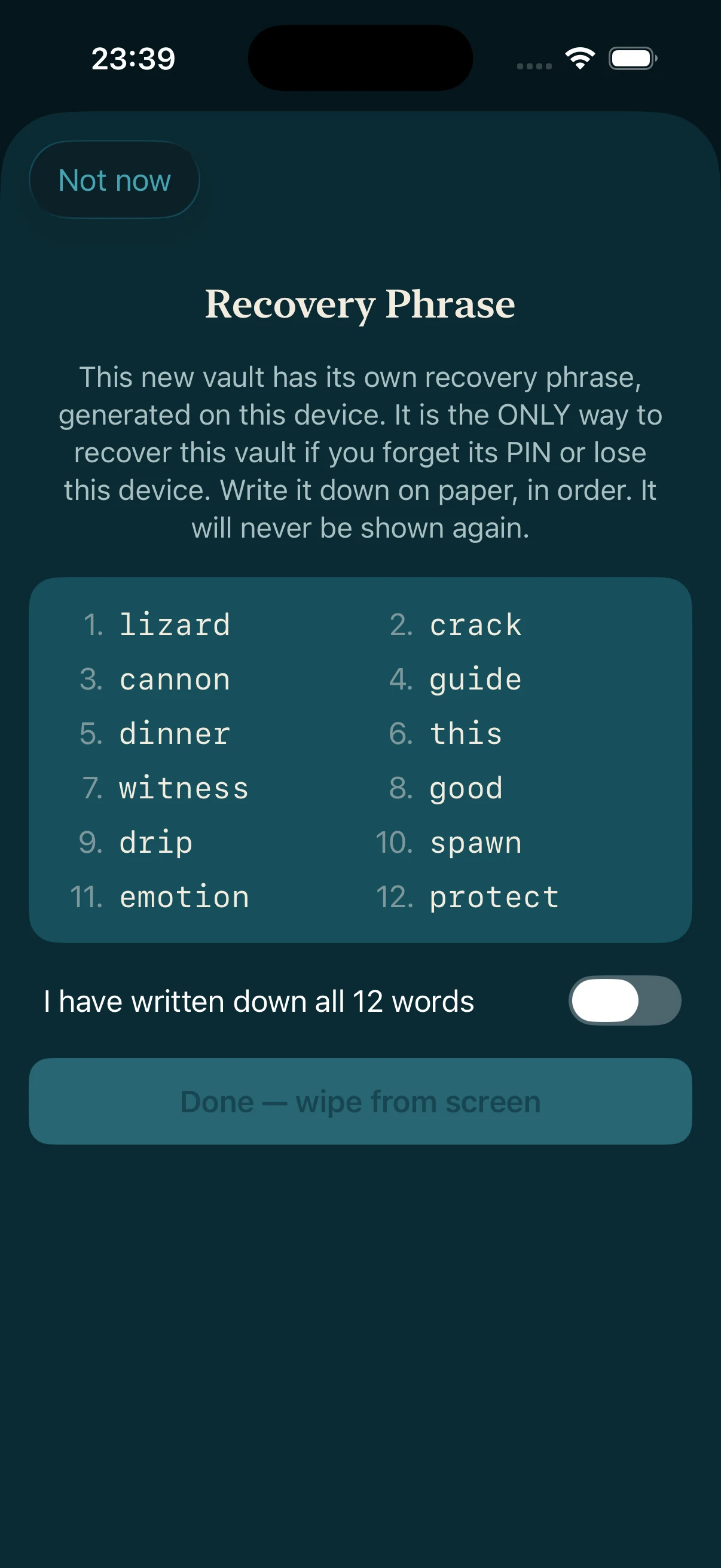
First: save these words
Write the 12 words down before you continue.
Use paper. Keep the words in the same order. Then check your copy against the screen.
Turn on “I have written down all 12 words” only after your copy matches the screen.
No words and no working phone means the vault is lost.
Sealby, Apple and support cannot reset it.
A 60-second check
What happens next?
Answer three quick questions.
Vault backup+ 12 words= Restore
You have the 12 words, but no backup and no working phone. Can the words bring back your files?
When should you confirm “I have written down all 12 words”?
Keep access without risking your files
The rest covers safe storage, backups, common problems and a future advanced option.
What the 12 words are for
Use your PIN, pattern or passphrase every day. Use the 12 words only when you can no longer unlock the vault normally.
Sealby does not keep a copy. Apple and support do not have one. No one can reset the words for you.
When Sealby shows the words
Stop here and make a safe copy.
Write all 12 words in order
Use paper. Copy the spelling and order exactly. Do not shorten or translate the words.
Check your copy
Compare each word with the screen. Turn on the confirmation switch only when every word matches.
Store the paper away from the phone
Tap “Done — wipe from screen.” Keep the paper private and in a different place from the phone.
Recovery needs two things
1. The 12 words. They unlock the vault.
2. A copy of the vault. This can be on a working device, in sync or in an exported backup.
The words do not contain your photos and files. Keep a backup in a different place from the paper. See how vaults work.
Example: an exported backup
Create the backup
Open the vault and start an export. Enter the 12 words so Sealby can check that they match this vault.
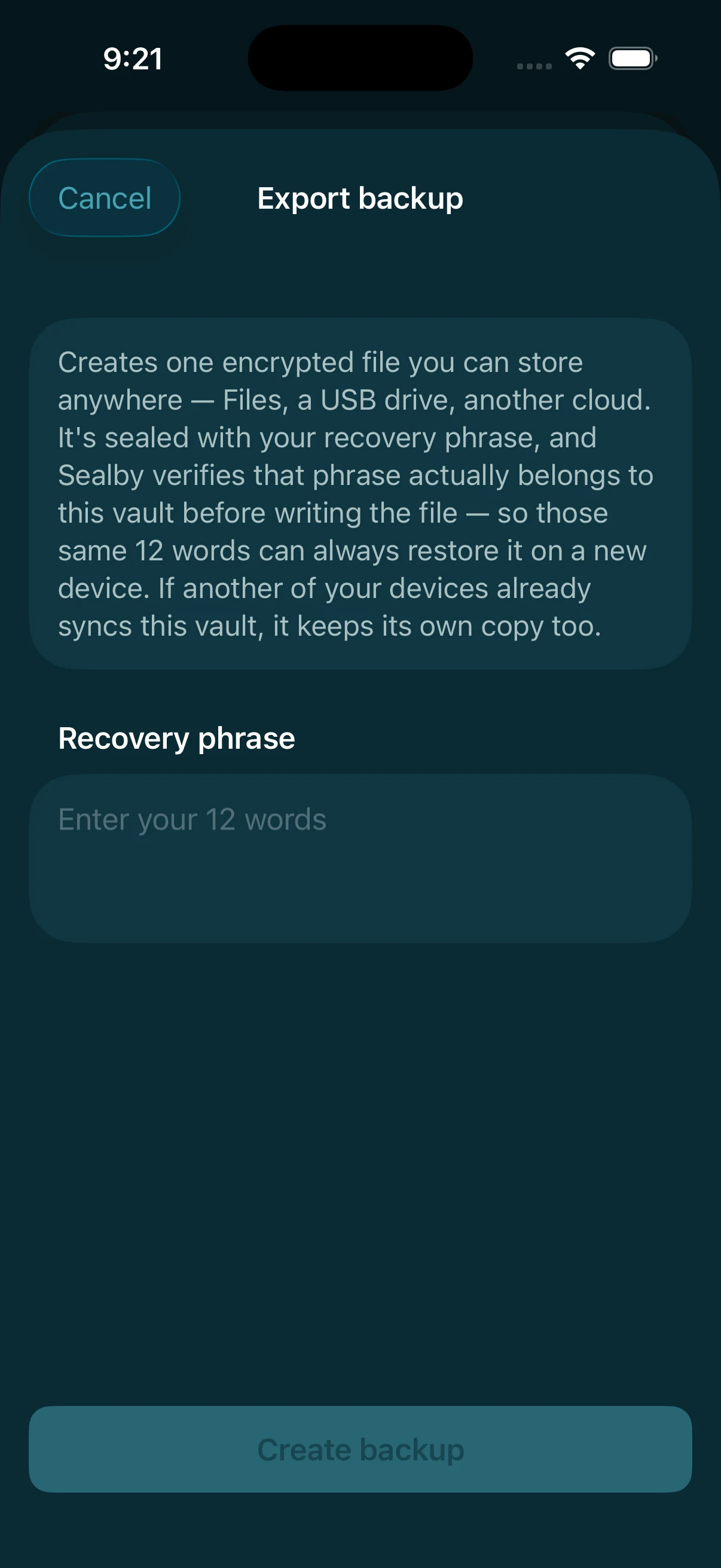
The Export backup screen asks for this vault's 12 words. Keep it somewhere else
Save the
.sealbackupfile in Files, on a USB drive or with another storage provider. Do not keep the only copy on the same phone.Restore on a new device
Choose the backup file and enter the same 12 words. You need both.
Common problems
SettingWhat it doesConsequence
You forget the PIN, pattern or passphraseNormal unlock no longer works.Use the 12 words with an existing copy of the vault.
The phone is lost or destroyedThe copy on that phone may be gone.Use the 12 words with a separate backup or synced copy.
You have the words, but no copy of the vaultThere is nothing left to open.The words cannot bring deleted files back.
You lose the words but can still open the vaultThis phone is now your only way in.Move the files to a new vault, record its new words and make a backup.
You lose both the normal unlock and the wordsYou have no way to unlock the vault.The vault is permanently lost, even if a backup still exists.
How Sealby creates the 12 words
Sealby creates the words from secure random data on your phone. It uses two separate sources and checks both. If a check fails, vault creation stops. The standard method is safe.
For the technical design, see Security.
Store it safely
Keep the paper readable, private and away from the phone. For files you cannot replace, keep a second paper copy in another safe place.
Never type the words into a website or send them to support. Sealby asks for them only inside the app when it needs them.
Common questions
Is there one recovery phrase for all my vaults?
No. Each vault has its own 12 words. One phrase cannot open the others.
I lost the words but can still open the vault. Am I safe?
Not for long. Move the files to a new vault now. Write down its new words and make a backup.
Can the words restore files after the phone is gone?
Only if a backup or synced copy still exists. The words unlock files; they do not recreate deleted files.
Can I make up my own words for the planned app 1.1 option?
No. It will require a new 24-word BIP39 phrase made by a trusted process. Do not invent or reuse words.
Can Sealby email or reset my 12 words?
No. Sealby never receives them, so only you can keep them safe.
Your vault is waiting.
Download Sealby and protect what matters. Setup takes under a minute, and there’s no account to create.
Download on the App Store
iPhone & iPad · iOS 17+ · Free